Author: Gerald G.

  • Timekettle W4 Pro: Could Your Next Conversation Cross the Language Barrier?

    Timekettle W4 Pro: Could Your Next Conversation Cross the Language Barrier?

    The most useful travel souvenir might be a conversation you would otherwise have missed. At work, it might be the question you finally felt comfortable asking. Translation technology earns its place when it helps people stay involved—not simply when it promises a long list of languages.

    Timekettle W4 Pro puts language assistance into open-ear earbuds paired with a smartphone. Its most interesting distinction is the range of situations it aims to cover: conversations in the same room, listening to a speaker, and supported calls or media.

    Editorial note: This is a researched product spotlight, not a hands-on review. Features and performance described below are manufacturer claims unless stated otherwise. The Timekettle shopping links are affiliate links. We may earn a commission if you purchase through them, at no additional cost to you.

    Explore Timekettle’s current products and pricing → This link opens the Timekettle store; select W4 Pro to match this spotlight.

    A more personal way to stay in the conversation

    For face-to-face use, Timekettle describes a One-on-One mode in which each person wears one earbud. Listen & Play offers another approach: the phone captures the other speaker, translated audio reaches your earbuds, and your translated response can play aloud.

    That creates a practical buying question: would sharing an earbud or hearing a translation privately feel easier than passing a phone back and forth? The answer depends on who you speak with, how often, and whether the setup feels comfortable for both people.

    The work-call possibility

    Timekettle documents translation for supported phone calls, online meetings and media. Its FAQ says only one participant needs W4 Pro for two-way call translation. That could make it interesting for someone who regularly speaks with overseas colleagues or family.
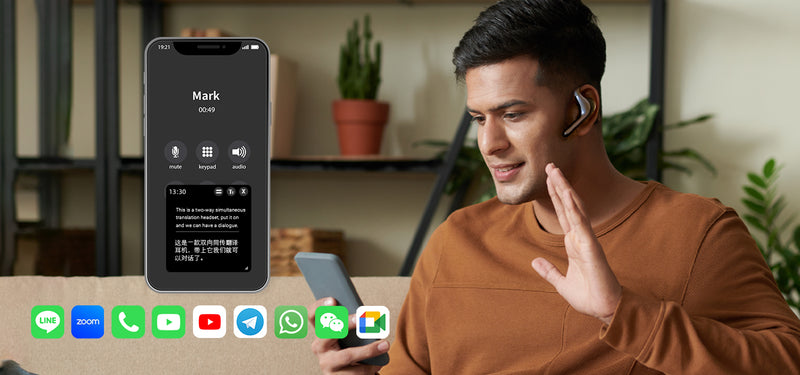
    Timekettle promotional image of a man wearing W4 Pro earbuds during a phone call, with an illustrative translation screen.
    Manufacturer illustration of W4 Pro call translation. App logos and interface are promotional examples, not our compatibility test.

    Your smartphone remains part of the system. W4 Pro needs the Timekettle app. Promotional pictures showing tablets, computers or familiar calling-app logos should not be treated as proof that every device and configuration works. Confirm the exact phone, operating system, calling app and language pair before buying.
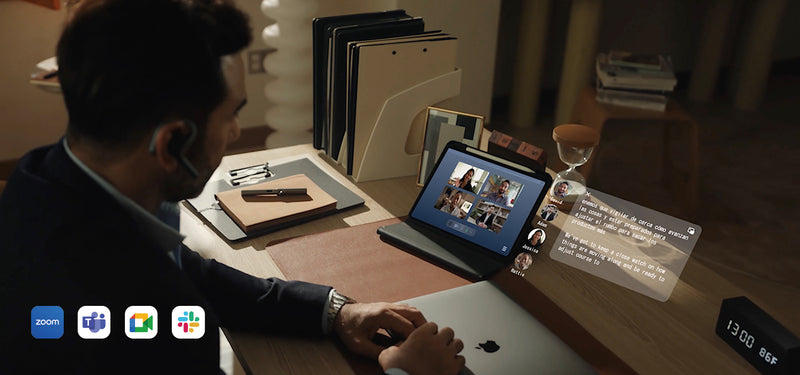
    Timekettle promotional image of a person wearing W4 Pro earbuds beside a tablet showing a video meeting and illustrative subtitles.
    Manufacturer illustration of the online-meeting use case. Confirm support for your exact device and calling app.

    What to check before relying on it

    Offline support is limited to particular language pairs and modes. Timekettle says One-on-One and Listen & Play can operate offline, while media translation requires internet access. Download the right packs beforehand; do not assume every advertised language is available without connectivity.

    Give important conversations room to breathe. Background noise, overlapping speakers and unfamiliar terminology are sensible things to test in your own setting. Confirm names, prices, dates and instructions rather than treating any automated translation as infallible.

    For confidential work, review the app’s current permissions, recording and transcription settings, storage and deletion options, and your organization’s rules before recording or sharing a conversation. A convenient meeting record is only useful if everyone understands how it is being handled.

    Price, extra costs and returns

    The U.S.-dollar product page displayed $404.10 against $449 when checked on November 16, 2026. Prices and offers can change. This spotlight covers W4 Pro; newer or similarly named Timekettle models may have different capabilities and membership terms.

    The same page says no subscription is required, but its offline-pack FAQ describes two free language-pair downloads through coupons and charges for additional pairs. Check the current app entitlement for the exact bundle rather than assuming unlimited offline access.

    Timekettle advertises 30-day returns and a 12-month warranty. Its formal policy requires original selling condition and packaging, prior return authorization, and buyer-paid shipping for non-quality-related claims. Ask how these conditions apply to opened earbuds before treating this as a try-at-home offer.

    The Infinite Tomorrow take

    W4 Pro is worth a closer look if language assistance is a recurring need, especially across both in-person conversations and supported calls. If you only need occasional help, start by comparing the workflow with a translation app you already own.

    Our deciding test would be a real exchange in your intended languages: how clearly each person hears, how naturally turns flow, and whether mistakes are easy to notice and correct. The best reason to choose it is a better conversation—not an impressive specification sheet.

    For a different approach, read our Soundcore AeroFit 2 spotlight. Its documented translation workflow and call restrictions differ, so compare the use cases rather than assuming the products are interchangeable.

    Sources and official image credits

    Checked November 16, 2026: W4 Pro product specifications, price and offline-pack FAQ; Timekettle product FAQ; return and refund policy. All three images are official Timekettle assets, credited here and in their captions. Promotional interfaces illustrate intended use and are not screenshots of our testing.

  • Soundcore AeroFit 2: Can Everyday Earbuds Help You Cross a Language Barrier?

    Soundcore AeroFit 2: Can Everyday Earbuds Help You Cross a Language Barrier?

    A conversation should not have to end where your vocabulary does. Whether you are asking a question while traveling or trying to follow someone speaking another language, a little help can make the exchange feel more approachable.

    Soundcore AeroFit 2 combines open-ear listening with translation through a smartphone app. The interesting possibility is having that help available in earbuds you might already wear for music or podcasts. The purchase decision comes down to how comfortably both jobs fit your routine.

    Editorial note: This is a researched spotlight, not a hands-on review. Infinite Tomorrow participates in Soundcore’s CJ affiliate program. The product link below is an affiliate link. We may earn a commission if you purchase through it, at no additional cost to you.

    See standard AeroFit 2 pricing and options at Soundcore →

    Everyday earbuds with an extra reason to listen

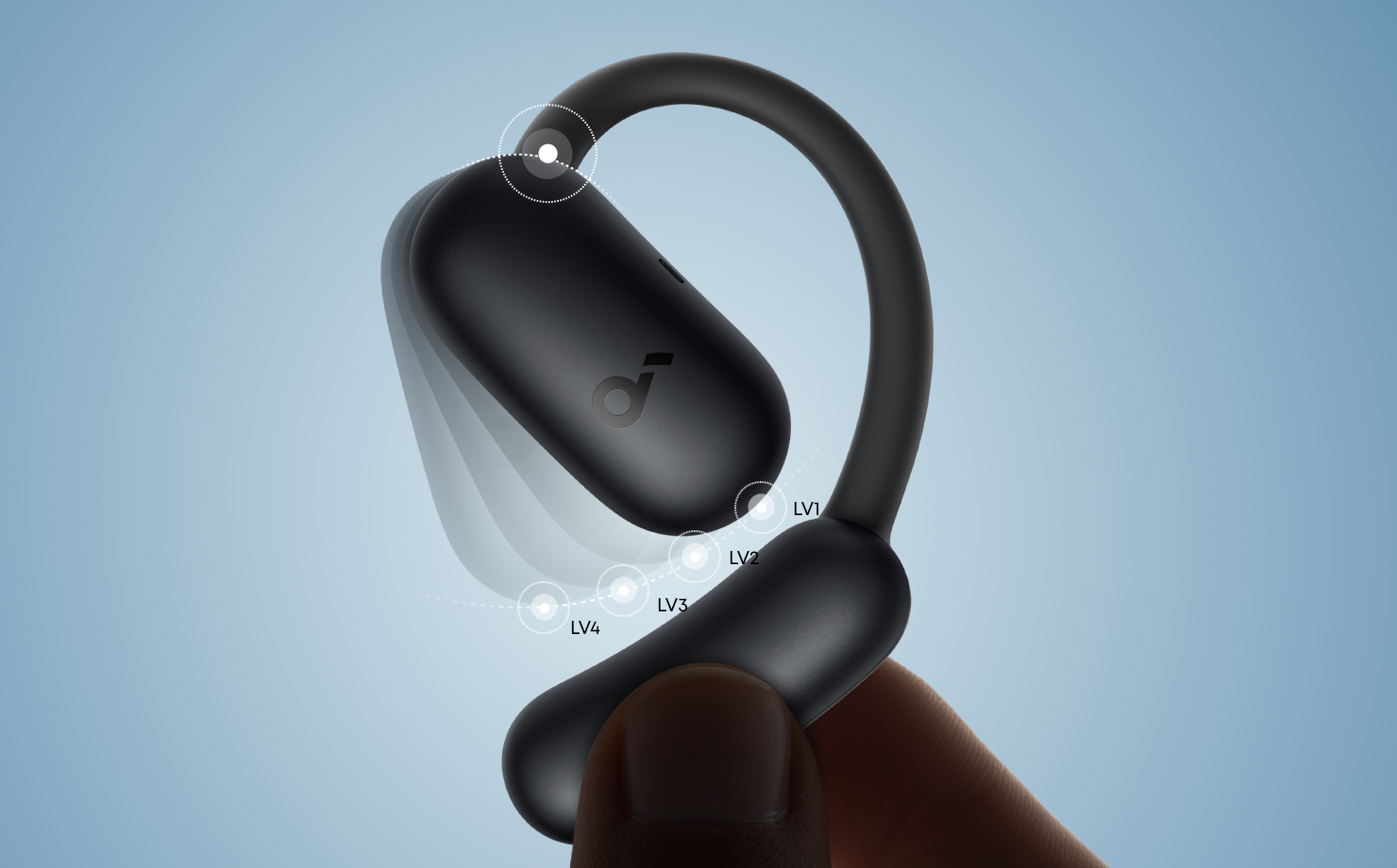
    AeroFit 2 sits outside the ear canal, with four ear-hook adjustment positions. Soundcore lists up to 10 hours of listening per charge and 42 hours with the case, plus wireless case charging. Those are advertised listening figures, not a verified translation-runtime estimate.

    The appeal of an open design is staying more connected to the room around you. The trade-off is that surrounding sound remains part of the experience. Think about where you will use them: quiet walks and time at home present a different listening problem from a noisy commute.

    Soundcore illustration of a black AeroFit 2 earbud showing four ear-hook adjustment positions.
    Four adjustment positions help tailor the fit. Manufacturer illustration: Soundcore.

    How the translation actually works

    Soundcore documents support for 100 languages. In Face-to-Face mode, you tap controls in the app: your translated speech plays through the phone, while the other person’s translated reply plays through the earbuds. Text also appears on the screen.

    Real-Time mode is intended for listening. Start it in the app to hear translated speech through the earbuds and see text on the phone. You still need to manage the setup; this is not a promise of invisible, effortless interpretation.

    Install the current Soundcore app and update the earbuds’ firmware before trying translation. Soundcore specifies app version 3.8.7 or later for the standard AeroFit 2.

    The limits worth knowing before buying

    Your phone is part of the system. Soundcore says translation is smartphone-only, not a PC or tablet feature. It does not work during calls or while Dual Connections is enabled. Automatic language detection is unavailable, so choose the languages yourself.

    The setting matters. Soundcore recommends bringing the phone and earbuds closer to the speaker when background noise interferes. Our view: try a short exchange first, and confirm important names, numbers, and instructions rather than assuming the first translation is right.

    Plan for travel realistically. The standard model’s documentation reviewed here did not establish offline translation support. Verify connectivity requirements and your exact language pair with Soundcore before relying on it abroad. A downloaded phrasebook remains a sensible backup.

    Price and which AeroFit 2 you are buying

    The U.S. standard AeroFit 2 product page displayed a sale price of $99.99 against a regular price of $129.99 when checked on November 5, 2026. Soundcore states that its Real-Time and Face-to-Face translation features will remain free for AeroFit 2. Confirm the current price and selected variant before ordering.

    Soundcore also sells a separately named AeroFit 2 AI Assistant edition. This spotlight covers the standard AeroFit 2; do not assume every listing includes the same assistant features. Match the model, feature description, and return terms to the product you intend to buy.

    The Infinite Tomorrow take

    AeroFit 2 is worth exploring if you want open-ear listening first and would value occasional language assistance alongside it. That combination gives the product a practical reason to earn space in your day.

    If translation is the main reason for the purchase, compare the actual conversation steps with a translation app you already have. The useful question is whether hearing replies through earbuds makes your exchanges easier enough to justify another device.

    We would judge it by fit, everyday listening, and a real conversation in your intended languages—not the language count alone.

    Sources and image credits

    Manufacturer sources checked November 5, 2026: AeroFit 2 specifications and price, translation FAQ, and setup and fit guidance. Featured wearing photo and ear-hook illustration: Soundcore. Manufacturer performance claims have not been independently tested by Infinite Tomorrow.

  • Enabot: The Gift of Being There

    Enabot: The Gift of Being There

    INFINITE TOMORROW · HOLIDAY SPOTLIGHT

    For the moments you wish you were home.

    A thoughtful gift. A familiar voice. A way to feel closer, even when miles separate you.

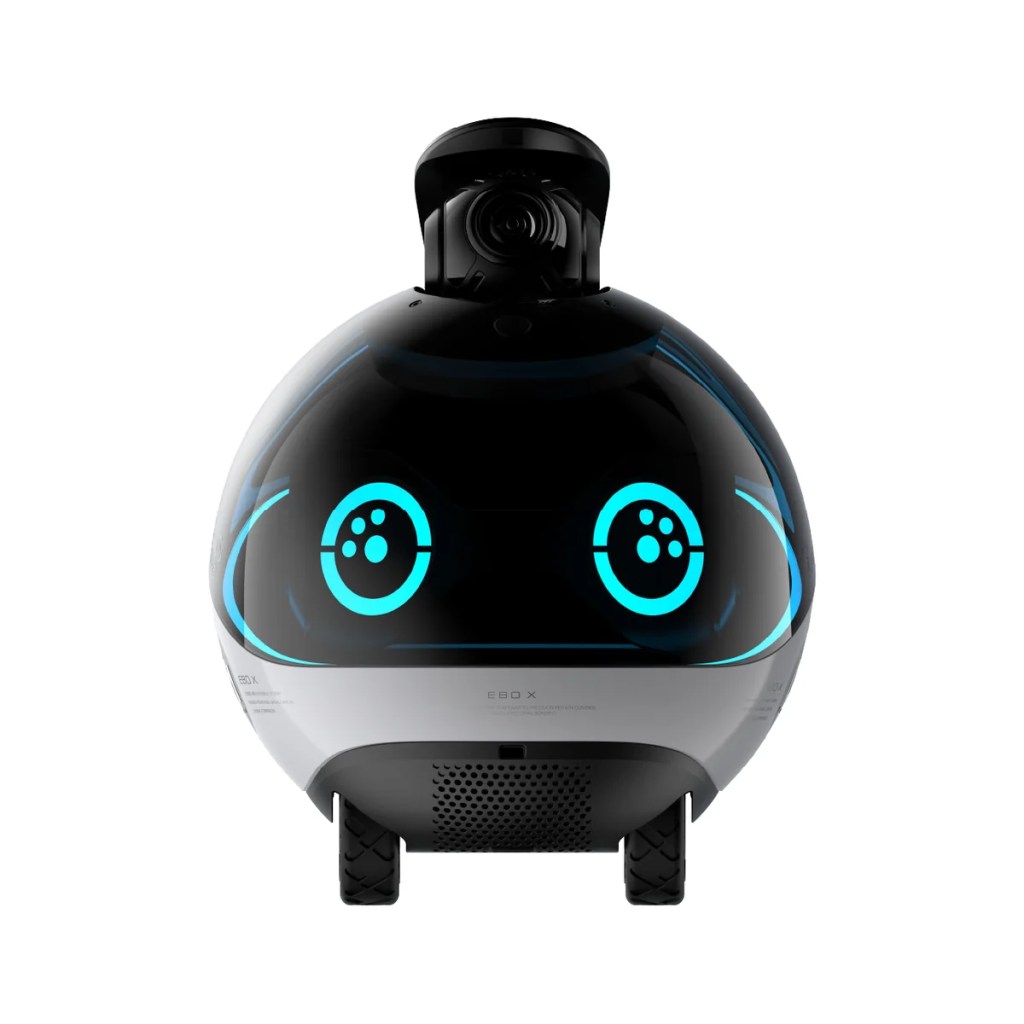
    Enabot EBO X shown in full, with its raised camera, illuminated turquoise eyes and wheels clearly visible.
    Enabot EBO X shown. Designs and features vary by model.

    Picture Christmas morning: the wrapping falls away, a little robot emerges, and the two of you begin imagining where it will fit into your home. The gift carries a simple thought: even when I’m away, I want to share your everyday moments.

    That is what draws us to Enabot. Its connected home robots bring movement, a camera, and communication into one small presence. For a couple navigating work trips or time apart, the appeal is personal: a chance to look in, say hello, and feel part of life at home.

    Affiliate disclosure: Infinite Tomorrow may earn a commission through the shopping link below, at no additional cost to you.

    A little closer to everyday life

    Through the EBO HOME app, compatible Enabot robots can be controlled remotely so you can move through accessible areas of the home, view live footage, and interact with family. A familiar room becomes somewhere you can explore from your phone. A brief check-in becomes a shared moment.

    Imagine a partner traveling for work opening the app in the evening, steering toward the living room, and saying hello to the person waiting at home. The technology makes the connection possible; the voice on the other end gives it meaning.

    Official EBO Air 2 illustration showing a cutaway home floor plan, the robot in the living area, and viewing points across connected rooms.
    EBO Air 2: app-controlled movement through accessible rooms. Manufacturer illustration; navigation and mapping features vary by model.

    Choose the experience that fits your home

    EBO Air 2 brings a 2K camera, two-way audio, and mobile home viewing to the idea. You can see through its camera and speak through the robot while hearing the response in the app. Its customizable expression display adds character to a compact design.

    EBO X takes the experience further with a stabilized 4K camera, V-SLAM navigation, self-balancing movement, and automatic return to its charging dock. Its sculpted body and illuminated face make it a distinctive choice for someone who enjoys thoughtfully designed home technology.

    These are two examples of Enabot’s approach to connected living. Camera quality, communication features, navigation, and supported functions depend on the exact model. Match the robot to the way you want to use it.

    The thought behind the gift

    For the partner who travels, the couple managing different schedules, or someone who loves a beautifully considered home, Enabot offers an unusual gift idea: technology chosen around a relationship. Its lasting appeal is the invitation to keep showing up in the small moments after the decorations come down.

    Make the first experience part of the gift. Set it up together, try a call from another room, and agree on when and where remote check-ins feel welcome. Check Wi-Fi requirements, app compatibility, floor transitions, and charging space for your chosen model.

    Availability: Availability varies by model, plug type, and destination. Confirm stock and the current delivery estimate for your chosen robot with Enabot before ordering, especially if it is intended as a gift. An order option or estimated delivery date is not a guarantee of holiday arrival.

    This Christmas, give a little presence.

    For someone you love. For the home you share. For all the moments in between.

    Editorial spotlight based on manufacturer information, not hands-on testing. Sources: EBO HOME app, EBO Air 2, and EBO X. Checked November 1, 2026.

  • SwitchBot AI Art Frame 2: A New Mood for Your Home

    This article contains an affiliate link. Infinite Tomorrow may earn a commission if you purchase through it. Editorial spotlight based on manufacturer information, not a hands-on review.

    A favorite family photograph deserves more than a place in your phone. SwitchBot AI Art Frame 2 offers a way to bring those memories into the room—and change the artwork without replacing the frame.

    Infinite Tomorrow’s AI-generated illustrative commercial; not a hands-on demonstration.

    What makes Frame 2 interesting?

    Launched October 27, 2026, this newer model uses a color E Ink display with a paper-like appearance and no backlight. It includes 500 artworks, supports personal photo uploads, and offers app, button, and three-tap image changes. Gift Mode lets you prepare photos and a message before the recipient opens the box.

    SwitchBot claims up to three years between charges at one image refresh per day; actual battery life varies. Treat it as a display for still artwork, not a television. Consider the lighting where it will hang: a reflective display needs ambient light.

    Sizes, prices, and the AI subscription

    SizeUS list priceSale shown November 1
    7.1-inch$169.99$129.20
    13.3-inch$399.99$308.00
    31.5-inch$1,399.99$1,092.00
    Single-frame prices checked November 1, 2026. Temporary promotions can change; confirm the final price before buying.

    AI creation features cost an additional $3.99 per month. SwitchBot advertises a 30-day trial for first-time subscribers. Its AI Studio support page lists up to 400 generated images monthly for one device; verify the offer and allowances shown in your app.

    A holiday gift—with timing to check

    Delivery estimates vary by frame size, pack, stock status, and destination. Check the seller’s current delivery estimate for your selected configuration and address before ordering. If it is a preorder, confirm the expected shipping date separately. An estimated shipping or delivery date is not a guarantee of arrival before a holiday.

    Who should consider it?

    It may suit someone who enjoys changing their decor, displaying family photos, or experimenting with artwork. Before buying, measure the space and ask whether changing images is worth the cost compared with a framed print. For gifting, consider whether the recipient will enjoy using an app and whether they want an ongoing AI subscription.

    Check AI Art Frame 2 sizes, current price, and delivery at SwitchBot →

    Looking for the earlier model? Our original AI Art Frame spotlight covers that separate product.

    Sources: SwitchBot US product page; SwitchBot launch announcement; AI Studio plan details. Product and delivery checks: November 1, 2026.

  • Soundcore Work: A Tiny Recorder for the Details You Don’t Want to Lose

    Soundcore Work: A Tiny Recorder for the Details You Don’t Want to Lose

    A useful conversation can leave you with a full head and incomplete notes. The idea worth remembering, the detail behind a decision, the next step someone promised—those are often the things that disappear first.

    Soundcore Work is a small wearable recorder designed to turn conversations into recordings, transcripts, and AI-generated summaries. Its appeal is practical: spend less time trying to write everything down, then return to a searchable record afterward.

    Editorial note: This is a researched product spotlight, not a hands-on review. Infinite Tomorrow is a Soundcore affiliate through CJ and may earn a commission if you purchase through the affiliate link below.

    See Soundcore Work pricing and storage options →

    What it brings to everyday life

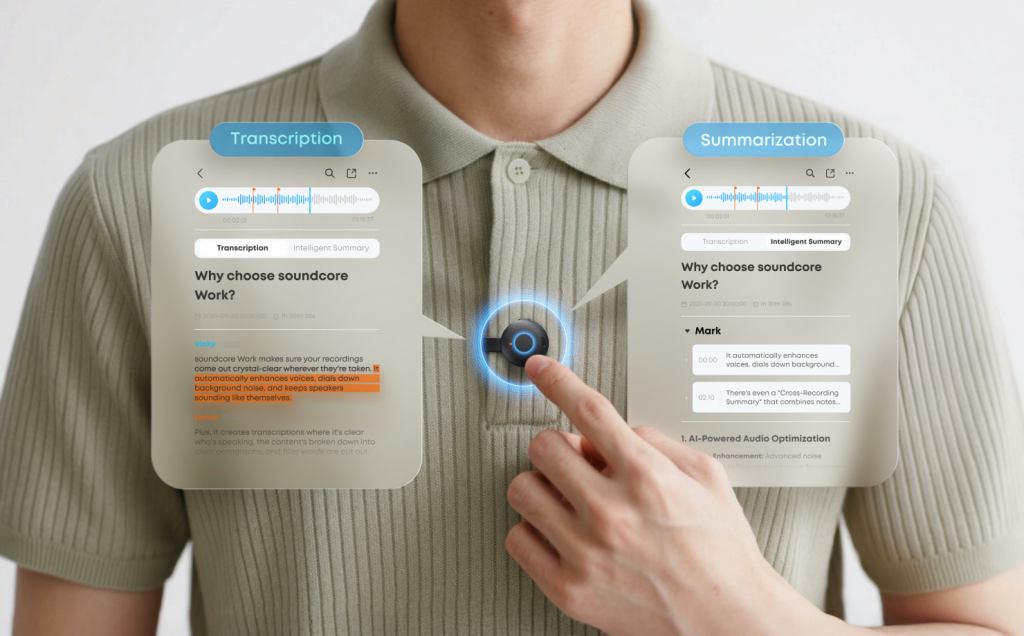
    Soundcore describes Work as a coin-sized device weighing approximately 10 grams. You can clip it to clothing, wear it on a necklace, or attach it to a phone. A press starts recording; a double-tap marks an important moment.

    The companion software transcribes recordings and creates summaries with key points and action items. That could make it useful for interviews, classes, project discussions, or capturing an idea while it is still fresh.

    The real question is whether you regularly return to your notes. A recorder can preserve a conversation, but the value comes from finding a decision, checking a detail, or following through on something you would otherwise forget.

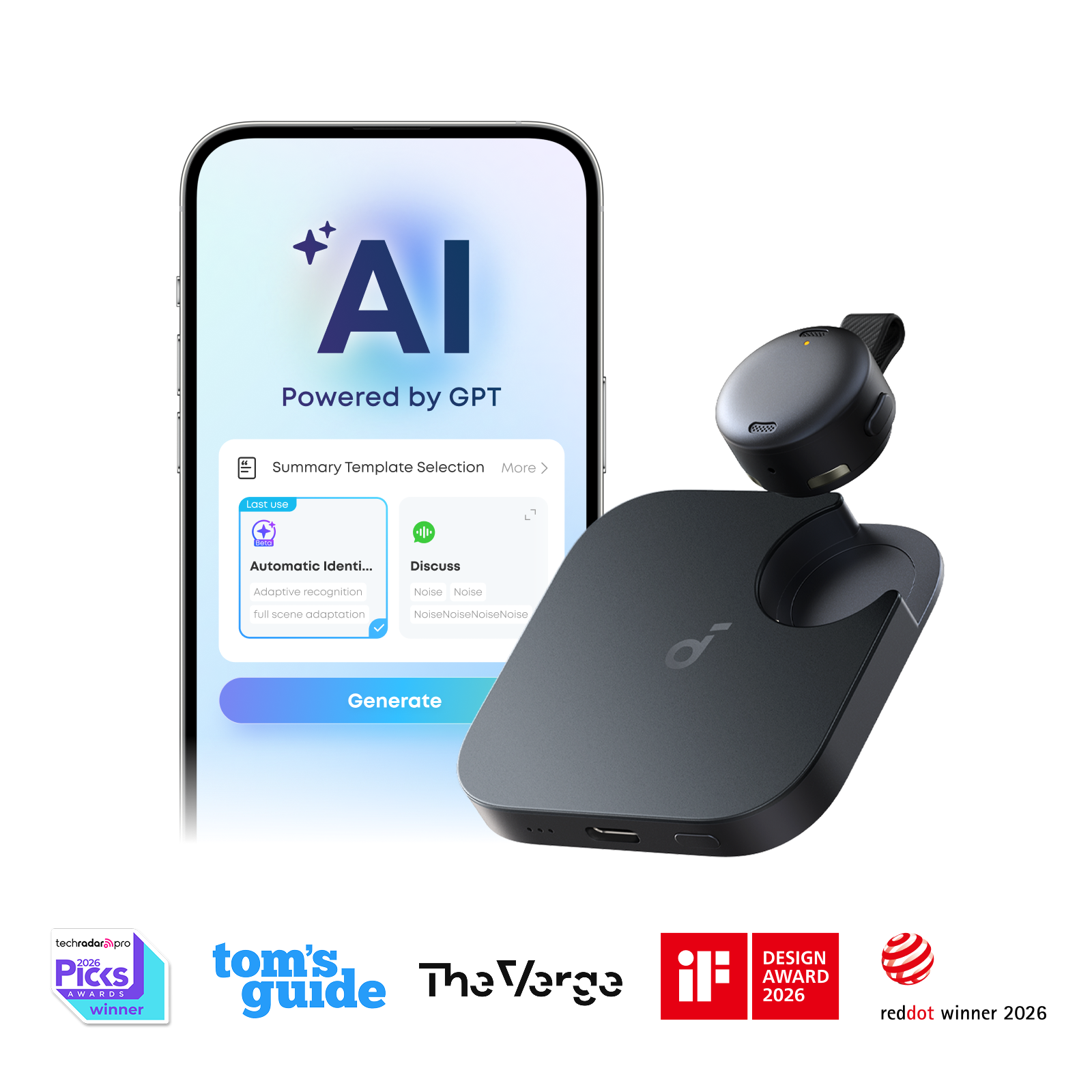
    Black Soundcore Work recorder and charging case alongside a manufacturer illustration of its smartphone summary interface.
    Soundcore Work recorder, charging case, and illustrated app interface. Image: Soundcore.

    Who should consider it?

    Work is worth a closer look if note-taking repeatedly interrupts your attention, or if you spend time reconstructing conversations afterward. A dedicated device may also appeal if you prefer keeping your phone out of the way.

    If you only record an occasional voice memo, start by comparing it with tools you already own. Another device brings charging, file management, and an additional app into your routine. Convenience should outweigh that extra work.

    The subscription question

    The included Starter membership provides 300 transcription minutes each month without an additional paid subscription. That is five hours: enough for five one-hour conversations, or roughly ten half-hour sessions.

    Pro — 1,200 minutes per month. Listed at $15.99 monthly or $99.99 annually.

    Unlimited — up to 744 hours per month. Listed at $239.99 annually.

    Confirm current pricing and features in the app before subscribing. App-store pricing can vary by region.

    Upgrading replaces the included allowance rather than adding to it. Soundcore says the account returns to Starter after the upgraded membership expires. If you run out of transcription time, you can still record and save audio locally or in the app, but further transcription is unavailable until you have an allowance again.

    Do not build your purchase decision around a free-trial headline. Eligibility, activation deadlines, renewal charges, and cancellation conditions need checking at checkout. An older six-month Pro promotion on the product page carried a March 31, 2026 activation deadline; this spotlight does not treat it as a current offer.

    Price, storage, and the real cost

    Soundcore Work is offered in 8 GB and 64 GB versions. In the CJ catalog checked on November 5, 2026, the 8 GB model showed a $159.99 regular price and a $119.98 promotional price; the 64 GB model showed $169.99. Prices, colors, and promotions can change, so check the exact configuration before ordering.

    Storage and transcription minutes solve different problems. More onboard storage does not automatically give you more monthly AI transcription. Compare the device price and the plan you would actually use—not simply the lowest advertised hardware price.

    A few trade-offs to keep in view

    Review the output. Treat AI summaries as a starting point. Check names, figures, quotations, and commitments against the recording before relying on them.

    Make recording explicit. Ask participants before recording, and follow the rules of the workplace, school, or organization involved. For sensitive conversations, review the current upload, retention, deletion, and account controls before using an AI transcription service.

    Check your intended recording setup. Attaching the device to a phone is a wearing option; it is not, by itself, proof that it captures phone calls or online meetings. Confirm those workflows with Soundcore if they are central to your purchase.

    The Infinite Tomorrow take

    Soundcore Work earns a place on our watchlist because it addresses a recognizable problem: losing useful details while trying to stay present. Its included five hours of monthly transcription gives lighter users a concrete starting point.

    Our recommendation is to estimate a normal month of recording first. If the free allowance covers it and a dedicated recorder would make your routine easier, Work is worth exploring. If you expect frequent long meetings, assess the subscription cost and privacy requirements before committing.

    Sources and editorial transparency

    Product details: Soundcore Work product page. Membership details: Starter and upgrade benefits, Unlimited plan, subscription pricing, and recording after your allowance runs out. Hardware prices were checked in Soundcore’s CJ product feed on November 5, 2026. Manufacturer claims have not been independently tested by Infinite Tomorrow.

  • Could Your Next Movie Screen Fit in Your Pocket? Meet RayNeo Air 4 Pro

    Could Your Next Movie Screen Fit in Your Pocket? Meet RayNeo Air 4 Pro

    Infinite Tomorrow | Technology Spotlight

    Affiliate disclosure: This article contains a RayNeo affiliate link. Infinite Tomorrow may earn a commission if you purchase through it.

    A bigger screen usually means finding more room for it. RayNeo Air 4 Pro takes a different approach: display glasses that connect to a compatible device and put a virtual screen in front of your eyes. Could that make movies and games easier to enjoy when space is limited?

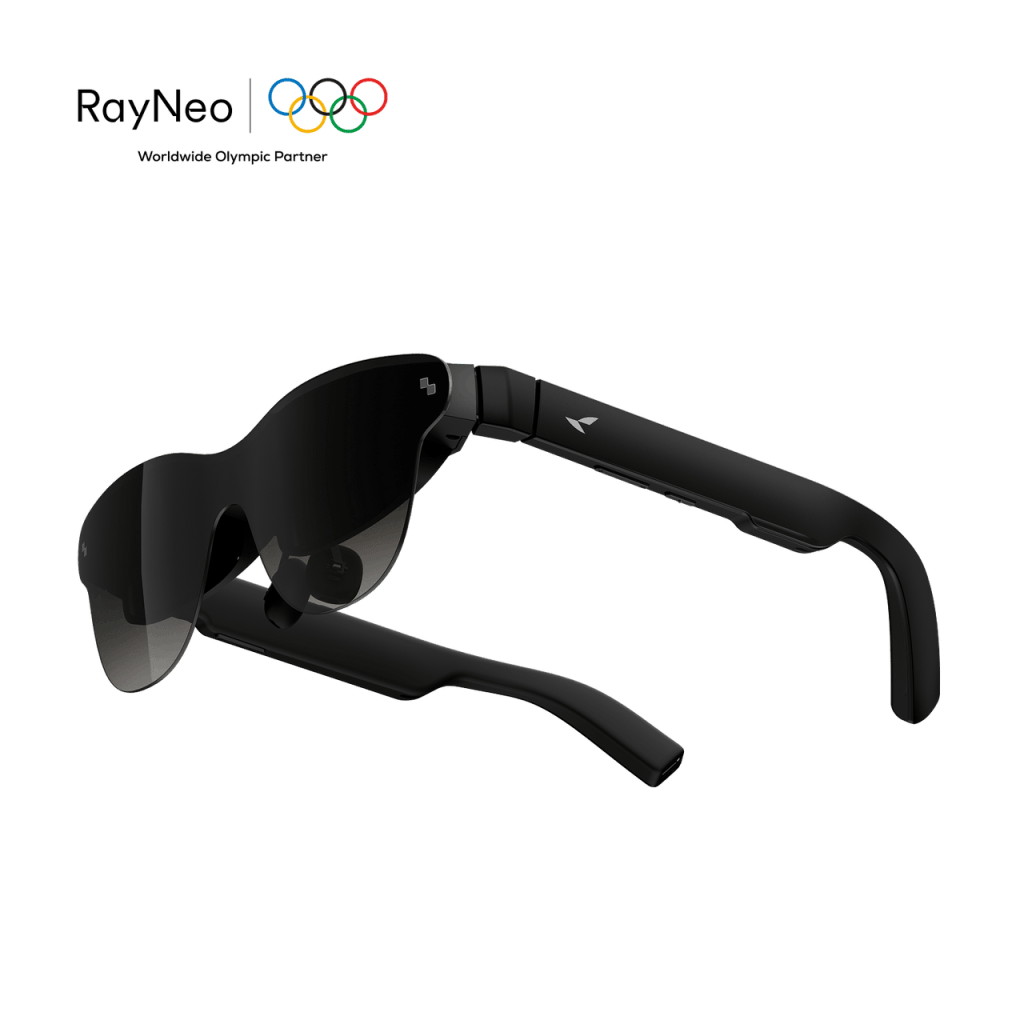
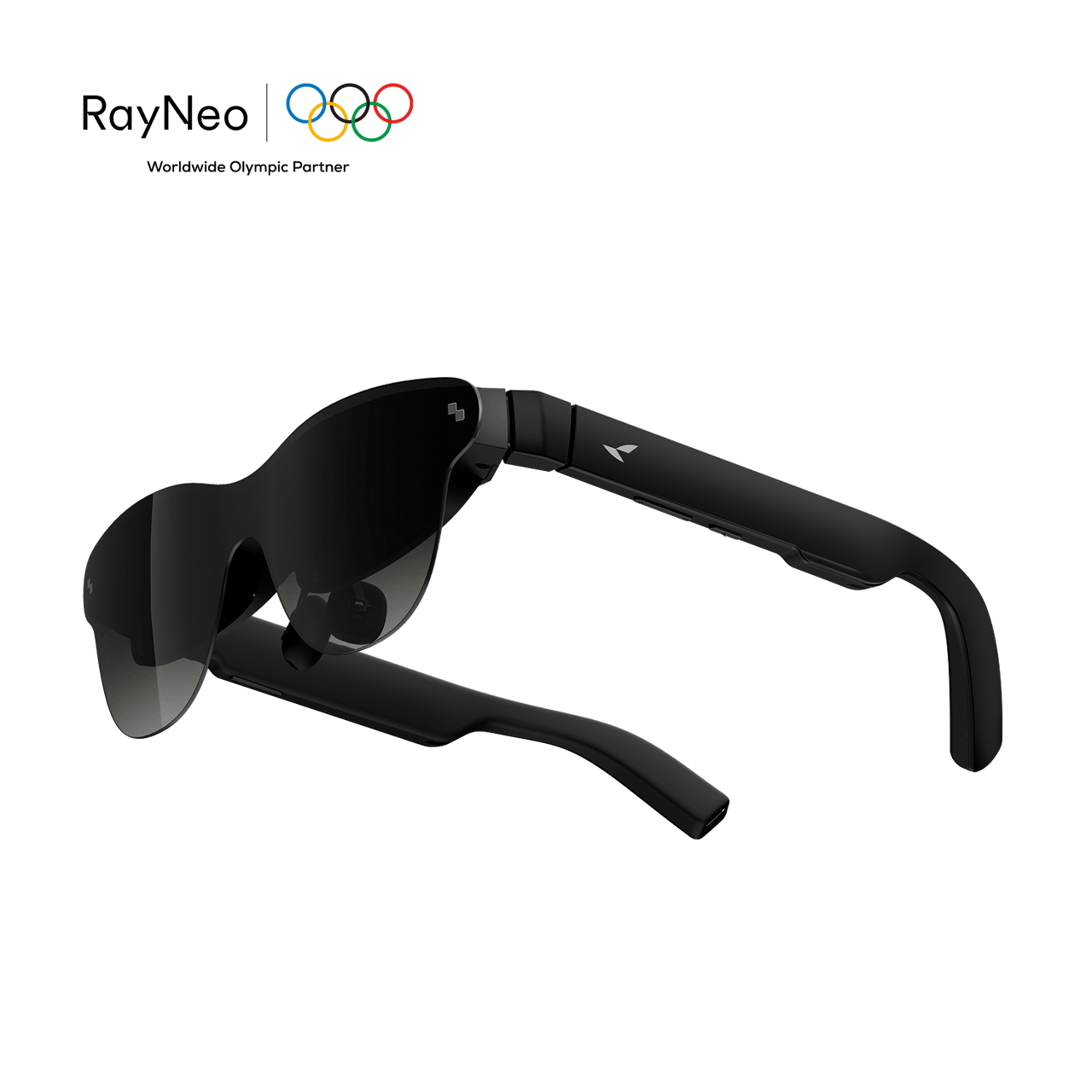
    Black RayNeo Air 4 Pro display glasses viewed at an angle.
    RayNeo Air 4 Pro. Official product image: RayNeo.

    What are you actually wearing?

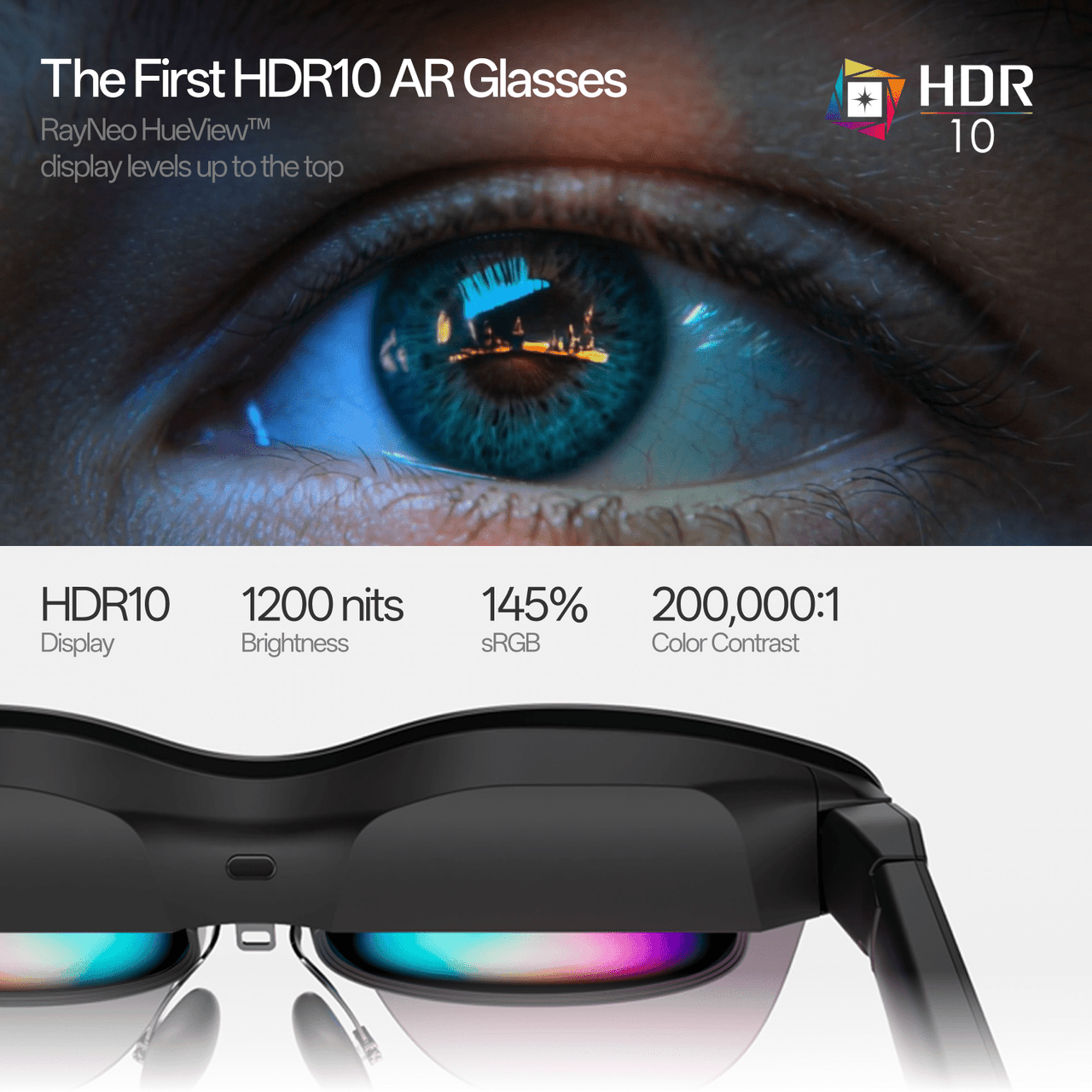
    Think of Air 4 Pro as a wearable external display. It is not a standalone movie player or a replacement for your phone. RayNeo lists a Full HD Micro-OLED display, HDR10, refresh rates up to 120Hz, four speakers with Bang & Olufsen audio tuning, and a weight of 76 grams.

    The company describes a 201-inch virtual screen. That is a perceived viewing-size claim, not a physical display you can measure across a wall. The practical question is whether the image feels clear and comfortable to you.

    Check your connection first

    According to RayNeo, direct connection requires USB-C with DisplayPort video output. A USB-C socket used only for charging or data is insufficient. HDMI sources need a compatible adapter; some consoles need an HDMI adapter or JoyDock. Basic mirroring needs no app or Wi-Fi. The glasses draw power from the connected device.

    Before ordering, identify your exact phone, laptop, or console model and check the complete connection path. Include adapters, power needs, and any required accessories in the total cost. A familiar connector shape does not establish compatibility.

    RayNeo promotional graphic showing the glasses and advertised HDR10 display features.
    Manufacturer promotional graphic; display claims are RayNeo’s, not results of our testing. Image: RayNeo.

    What kind of screen experience is it?

    RayNeo says Air 4 Pro does not provide 3DoF spatial anchoring: its display follows your head rather than staying pinned in the room. Its 3D-content features are a separate capability.

    That distinction matters if you imagine looking away from a virtual television and then turning back toward it. Decide whether you want a screen that moves with you or one that appears fixed in space before comparing models.

    Price and everyday tradeoffs

    As checked October 25, 2026, RayNeo lists Air 4 Pro from US$299. Confirm the selected package, shipping, taxes, and accessories before purchasing.

    For travel, a wearable display could offer an alternative to holding a small screen. At home, it might appeal when someone else is using the television. Those possibilities do not tell us whether the fit works for every face or whether you would enjoy wearing it for a full film.

    Look carefully at prescription-insert options, return terms, nose-pad adjustments, and how you will manage the cable. Also consider whether you want a private viewing experience or a screen you can share with others.

    Infinite Tomorrow’s take

    An interesting idea for a specific viewing habit. Air 4 Pro is worth exploring if you often watch or play on a compatible portable device and want a different screen experience. Compatibility, fit, and the full accessory cost deserve as much attention as the advertised screen size.

    We would want to try a familiar film scene, small interface text, and a longer session before calling any pair of display glasses a comfortable everyday choice.

    Explore RayNeo Air 4 Pro through our affiliate link →

    Editorial note: This spotlight uses manufacturer information checked October 25, 2026. Infinite Tomorrow has not independently tested RayNeo Air 4 Pro. This is an editorial introduction, not a hands-on review. Specifications, prices, and availability may change.

  • Can AI Voice Tools Help You Create Better Content?

    Can AI Voice Tools Help You Create Better Content?

    Infinite Tomorrow | Technology Spotlight

    Affiliate disclosure: This article contains an ElevenLabs affiliate link. Infinite Tomorrow may earn a commission if you purchase through it.

    You have a useful idea and a script ready to share. Recording a clear voiceover is the next hurdle: finding a quiet room, getting the delivery right, and recording another take when a sentence changes. Could AI voice tools make that process easier?

    ElevenCreative is ElevenLabs’ platform for creative work. It offers audio creation tools that could help with parts of that workflow. The useful question is where they save effort—and where a human voice, careful editing, or a simpler tool would serve you better.

    Official ElevenCreative logo in black on white.
    ElevenCreative, ElevenLabs’ creative platform. Official brand artwork: ElevenLabs.

    What can you do with it?

    ElevenLabs lists text-to-speech, speech-to-text, sound effects, voice design, music, and Studio among its creative tools. Potential uses include narrating an explainer, experimenting with delivery before recording yourself, and preparing audio versions of written content. Available tools and allowances depend on the plan.

    Start with a small, real task

    Choose a short script you already understand well. Generate a version, then listen all the way through. Do names sound right? Does emphasis change the meaning? Are pauses natural? Would your audience find the delivery useful?

    Keep the original script beside the audio as you review it. A polished sound is only one part of quality; the words still need to be accurate, and the delivery should suit the people listening.

    Four orange and lavender abstract sound-pattern illustrations.
    Sound-inspired graphics from ElevenCreative’s brand resources. Brand illustration, not generated audio output. Artwork: ElevenLabs.

    What does it cost?

    As checked October 25, 2026, the official ElevenCreative pricing page lists Free at $0 with 10,000 monthly credits, Starter at a regular $6 per month with 30,000 credits, Creator at $22 with 121,000 credits, and Pro at $99 with 600,000 credits. Prices exclude taxes. Introductory offers may differ; check renewal pricing before subscribing.

    Credits are shared across products, and consumption depends on the tool and model. Avoid treating a credit allowance as a guaranteed number of finished voiceover minutes. Revisions and experiments belong in your budget too.

    Check rights before publishing

    The pricing page lists a commercial license beginning with Starter. Before using an output for your business or a monetized channel, check the current terms for your plan and the specific feature. Music, voices, and uploaded materials can involve different rights.

    Use your own voice or material you have permission to use. Do not imitate someone in a way that suggests they said, endorsed, or participated in something they did not. When synthetic narration could confuse listeners, make its use clear.

    Where the tradeoffs show up

    For personal storytelling, your own voice may carry the warmth and context you want. For an instructional clip, a generated voice may be worth comparing with a straightforward recording. Neither choice fixes a vague script.

    Also consider what you upload. Review privacy and data-use settings before submitting confidential scripts, recordings, or another person’s voice. Start with material you are comfortable sharing with the service.

    Infinite Tomorrow’s take

    A useful workflow to explore, one small project at a time. AI audio tools are most interesting when they help a worthwhile idea reach an audience. Test the output, count the time spent reviewing and revising, and decide whether the result improves your work.

    Explore ElevenLabs through our affiliate link →

    Editorial note: Product and pricing information was checked October 25, 2026. This is an editorial introduction, not a hands-on review or a claim of measured performance. Infinite Tomorrow participates in the ElevenLabs affiliate program. Terms, features, pricing, and offers may change.

  • Can an AI Note-Taker Help You Stay Present in Conversations?

    Can an AI Note-Taker Help You Stay Present in Conversations?

    Infinite Tomorrow | Weekly Technology Spotlight

    You leave a conversation with a clear idea of what matters. An hour later, the details start to blur. What was the deadline? Who agreed to follow up? And did you miss something while trying to write it all down?

    Plaud Note Pro tackles that familiar problem with a dedicated recorder and AI-powered notes. The appeal is easy to understand: spend more attention on the person speaking, then return to a record afterward. Whether it earns a place in your routine depends on what happens between pressing record and trusting the finished notes.

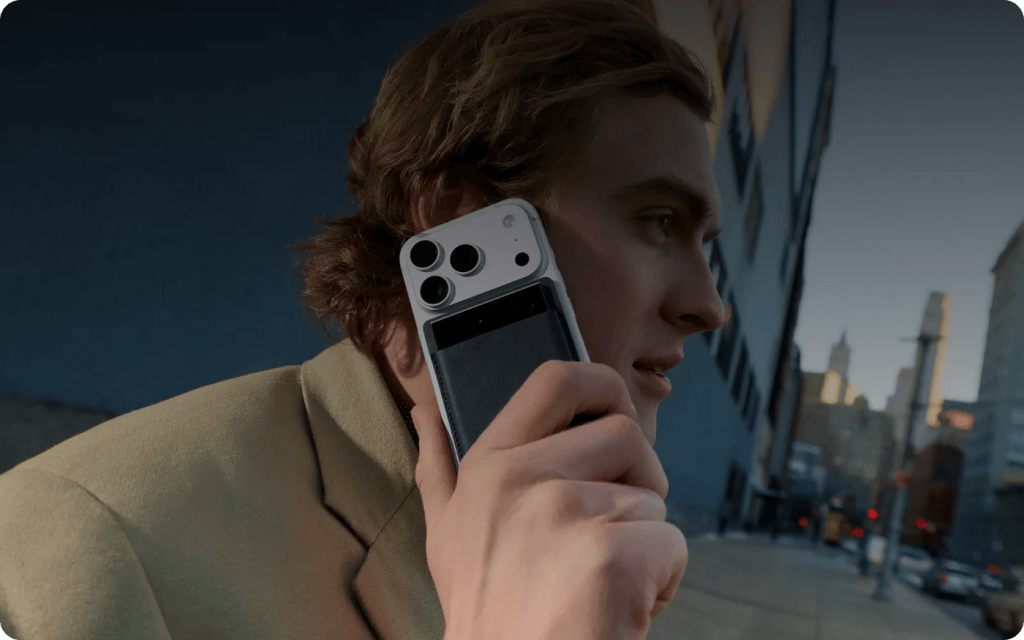
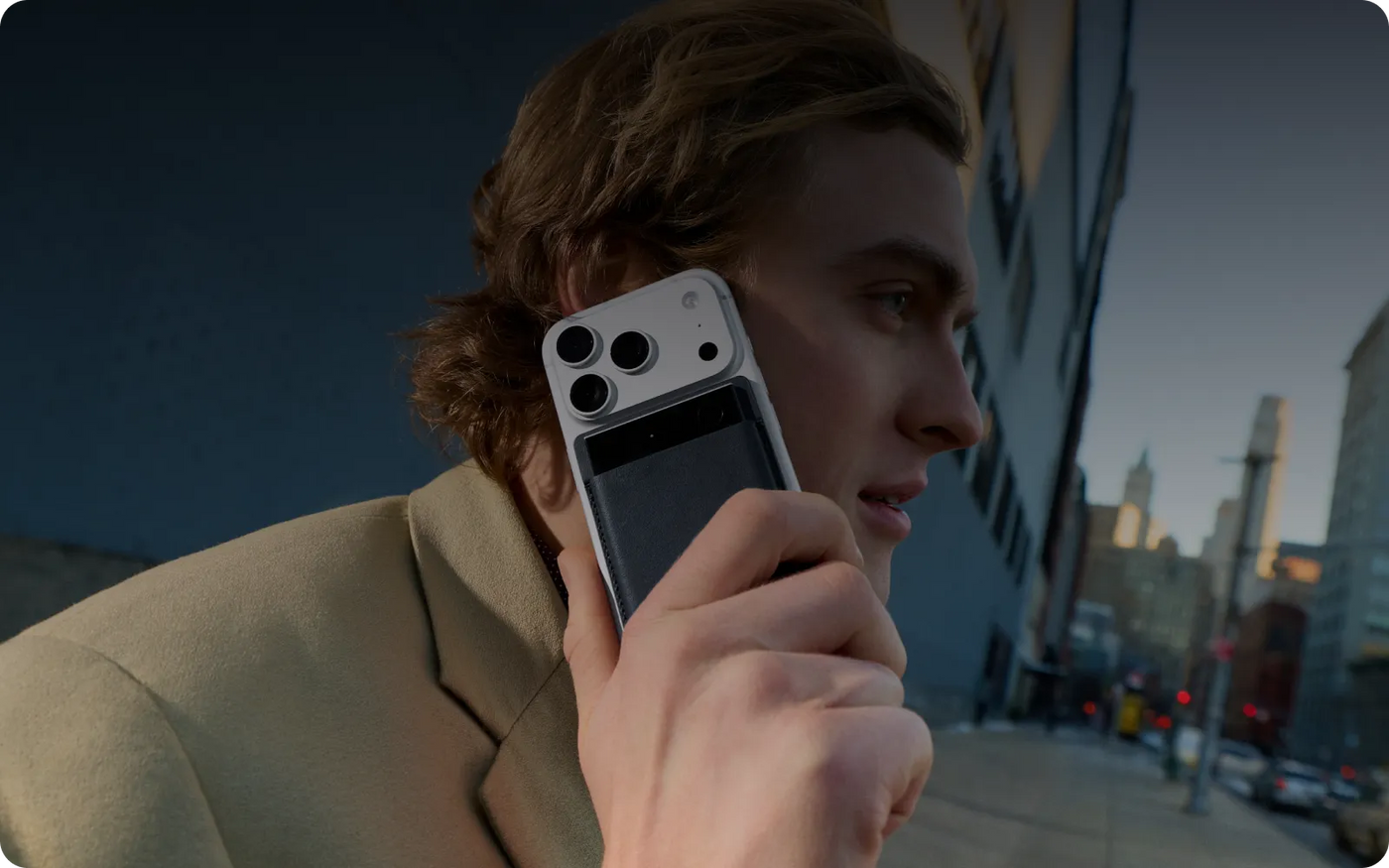
    A person on a city street taking a call with Plaud Note Pro attached to their phone.
    Plaud Note Pro attached to a phone. Official manufacturer image: Plaud.

    What is Plaud Note Pro?

    Note Pro is a slim recorder for in-person conversations and phone calls, paired with Plaud’s transcription and summary services. According to the official product listing, it has four MEMS microphones, a voice pickup sensor, 64GB of storage, and a 0.95-inch display. Plaud advertises up to 30 hours of recording in Enhance mode or 50 hours in Endurance mode; actual results depend on use.

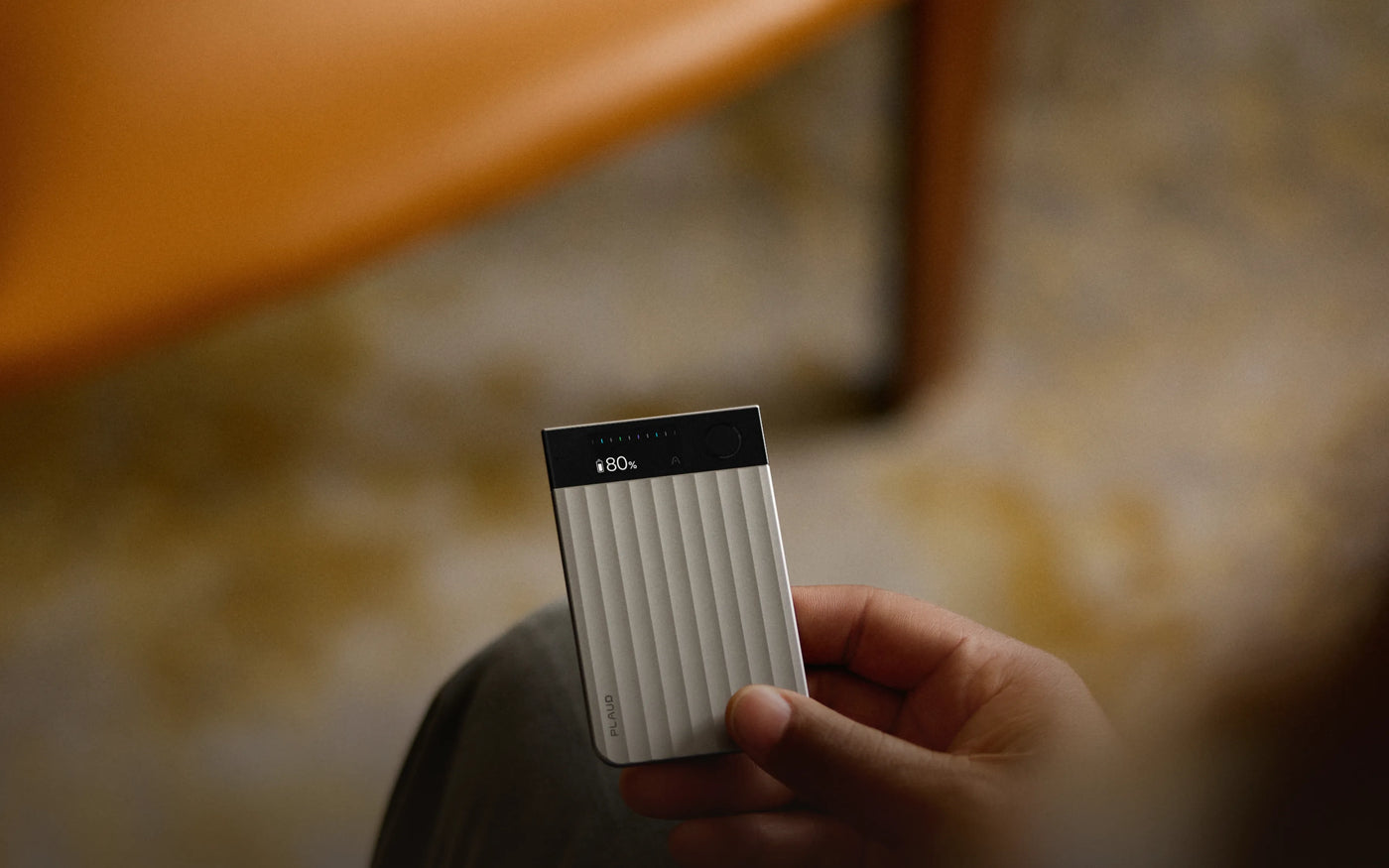
    Black Plaud Note Pro recorder with a display strip and ribbed body.
    Official product image: Plaud.

    Why it caught our attention

    The interesting idea is less about owning another gadget and more about separating listening from note-taking. For someone who regularly leaves meetings with hurried fragments, a recording and a structured summary could provide a useful second pass.

    Plaud supports transcripts, speaker labels, summaries, and highlights. Those tools may help you locate a decision or revisit context. They do not establish that a summary captured every qualification, or that a suggested action reflects what everyone agreed.

    The device price is only the starting point

    As checked October 25, 2026, Plaud lists Note Pro at US$189. Check current stock, delivery estimates, taxes, and package details for your destination before ordering.

    The free Starter plan includes 300 transcription minutes per month—five hours. Pro provides 1,200 monthly minutes for $99.99 per year or $17.99 on monthly billing. Unlimited is $239.99 per year or $29.99 on monthly billing, subject to a 24-hour-per-day allowance. Unused monthly minutes do not roll over. Running out pauses transcription, not audio recording.

    That distinction matters: battery life, recording storage, and AI transcription allowances are separate limits. Count the conversations you would actually process before choosing a subscription. A device can be inexpensive to keep charged and still create an ongoing service bill.

    A hand holding a silver Plaud Note Pro recorder.
    Official product image: Plaud.

    Privacy is part of the workflow

    Plaud’s Trust Center says data is sent to the cloud for processing. Disabling Cloud Sync does not make transcription an on-device service: Plaud says associated cloud data is deleted after it is transferred back to the phone when sync is off. The company also says training on user data requires opt-in. These are manufacturer statements, not an independent security assessment.

    Before recording, explain what you intend to capture and how you will use it, obtain the necessary permission, and follow the rules that apply to the setting. Workplace or client confidentiality requirements may make a cloud service unsuitable even when everyone is comfortable being recorded.

    What to check before relying on it

    Try the recording and note-taking tools you already have first. If they meet your needs, dedicated hardware may add little. If you still see a gap, identify it: easier recording controls, a separate battery, or a more useful review process.

    With any AI-generated notes, verify important names, figures, deadlines, and commitments against the recording. Noisy rooms, overlapping speakers, and unfamiliar vocabulary are good reasons to inspect the result carefully. Our question is not simply whether notes appear quickly, but whether checking and correcting them leaves you with less work overall.

    Infinite Tomorrow’s take

    Worth exploring for people who live in conversations. Note Pro addresses a recognizable everyday frustration. Its value will depend on recording quality in your setting, the usefulness of the resulting notes, your transcription volume, and your comfort with cloud processing.

    We would treat it as support for attention and follow-through, while keeping human judgment in charge of the final record.

    Explore Plaud Note Pro on the official website →

    Editorial note: This spotlight is based on manufacturer information checked October 25, 2026. Infinite Tomorrow has not independently tested Plaud Note Pro. This is an editorial product spotlight, not a hands-on review. No affiliate relationship is claimed. Product and plan details may change. Images: Plaud.

  • OBSBOT Tiny 3: A Webcam That Follows Your Lead

    OBSBOT Tiny 3: A Webcam That Follows Your Lead

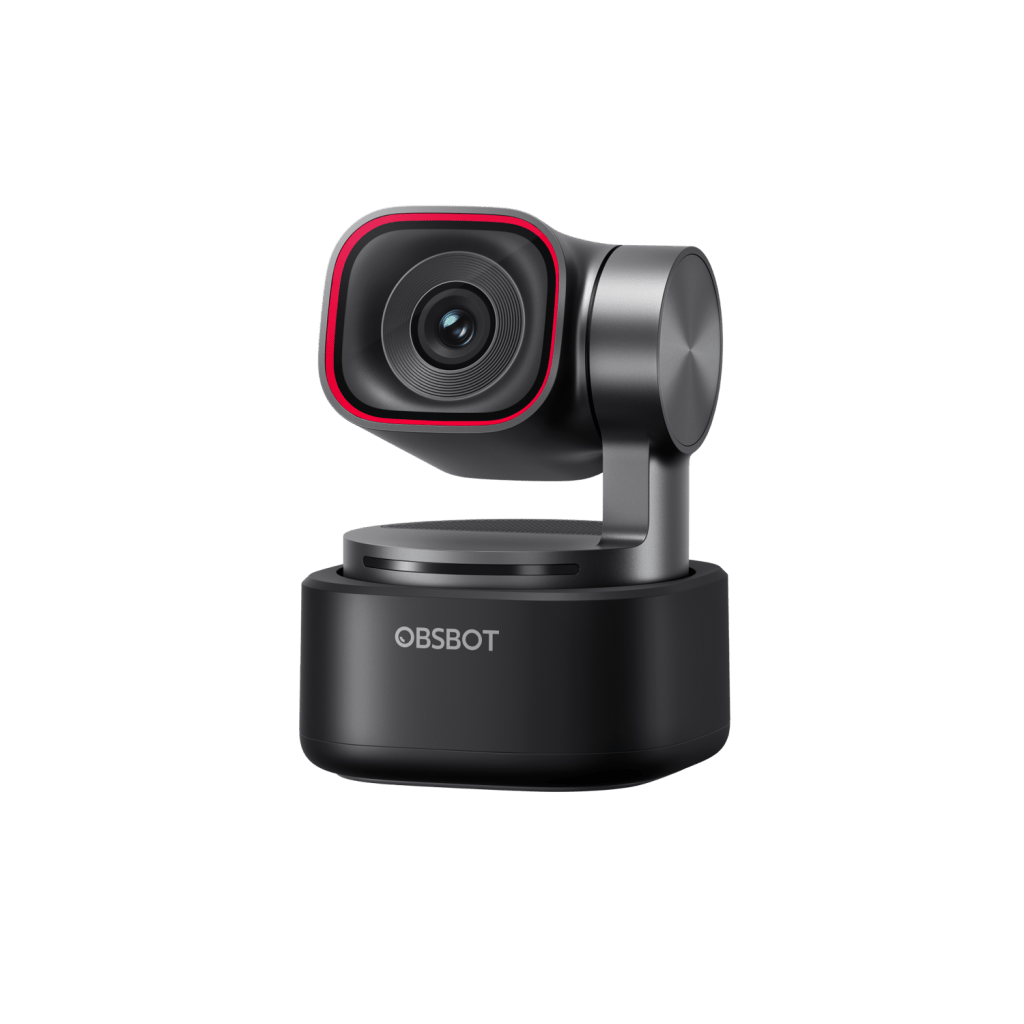
    Official OBSBOT Tiny 3 AI-tracking webcam
    OBSBOT Tiny 3. Official product image courtesy of OBSBOT.

    What if your webcam could keep you in the frame as you move, instead of forcing you to stay planted in one spot? The OBSBOT Tiny 3 is a compact, motorized AI-tracking webcam built for video calls, streaming, teaching, and content creation.

    Affiliate disclosure: Infinite Tomorrow may earn a commission if you purchase through our OBSBOT link, at no additional cost to you. We feature products based on their usefulness and relevance, not just affiliate availability.

    Explore OBSBOT Tiny 3 — See Current Pricing & Options →

    Why it caught our attention

    Unlike a fixed webcam, Tiny 3 uses a motorized gimbal and AI Tracking 2.0 to follow a subject. That can be useful when presenting at a desk, demonstrating a product, or moving around a workspace. It offers up to 4K at 30 fps, with high-frame-rate modes at lower resolution, plus voice and gesture controls.

    Where it makes sense

    • Remote meetings: Stay framed during a presentation or discussion.
    • Creators and streamers: Add camera movement without a separate camera operator.
    • Educators and demonstrators: Move between a desk and a demonstration area while staying on screen.

    What to consider before buying

    AI tracking is useful, but it is not a substitute for good lighting, a suitable camera position, and a reliable connection. Check compatibility with your computer and conferencing or streaming software. If you rarely move during calls, a conventional webcam may be enough. Also, make sure you’re comparing the Tiny 3 with the correct model—not the Tiny 3 Lite.

    Our take

    The OBSBOT Tiny 3 earns a look because it solves a recognizable problem: keeping people naturally framed while they work, teach, or create. The tracking and gimbal are the differentiators; the best choice depends on how much you actually move on camera.

    Explore OBSBOT Tiny 3 and current options on the official OBSBOT website

  • Meet Beni: The Little Camera Robot That Follows the Action

    Infinite Tomorrow | Weekly Technology Spotlight

    What if your camera could follow you around on its own—without a drone overhead or someone behind the lens? Meet Beni, an expressive, wheeled camera robot from Mondo Robotics that aims to make hands-free filming more accessible and a lot more playful.

    What is Beni?

    Beni is a compact, self-balancing robot designed to follow and film people and dogs from ground level. Instead of staying on a tripod, it moves with the action. Mondo Robotics markets it as a multi-terrain camera companion for everyday adventures and content creation.

    Why it caught our attention

    • Moving camera: Mondo lists a 1/1.3-inch CMOS sensor, 4K at 30/60 fps, 3K at 30/60 fps, and 1080p at up to 120 fps, with a 155° field of view.
    • Hands-free tracking: Designed to follow people and dogs; the Motion Tracker also provides manual control.
    • Playful mobility: Advertised maximums are 17.9 mph and a 10-inch jump, alongside obstacle avoidance and self-recovery. These are manufacturer claims, not our test results.
    • Swappable power and storage: Approximately 90 minutes per battery, a listed 60-minute charging time, and 32GB internal storage plus a microSD slot.
    • Local operation: Mondo says filming and tracking run on-board. Check the current editing workflow and privacy terms before uploading footage.

    Who might enjoy it?

    Beni could appeal to families capturing outdoor memories, pet owners, solo creators, and anyone curious about consumer robotics. The appeal is not just the footage: it is the idea of a camera that feels like a little sidekick.

    What to consider before buying

    Autonomous tracking and obstacle avoidance are promising, but real-world performance depends on terrain, lighting, obstacles, and software. Mondo says Beni is not waterproof: avoid rain and water-covered areas. A moving camera also calls for care around children, bystanders, and anyone who has not agreed to be filmed.

    As checked on October 25, 2026, Mondo’s current product page lists the Standard Combo at US$749 (crossed-out price: $799) and Explore at US$899 (crossed-out price: $959). Explore adds two batteries, off-road wheels, and a charging hub. Confirm your chosen kit’s current availability, dispatch date, and estimated delivery to your destination with Mondo Robotics before ordering. The product page and FAQ can show different delivery information, so do not treat an estimate as a guaranteed arrival date. Check any shipping charges and taxes for your destination as well. Delivery reliability and long-term support deserve scrutiny.

    Infinite Tomorrow’s take

    Worth watching. Beni combines a genuinely understandable use case—filming yourself without a camera operator—with personality and unusual mobility. That makes it more interesting than a novelty robot alone. But we would want to see consistent independent tests, dependable fulfillment, and clear after-sales support before calling it a proven recommendation.

    Explore Beni on Mondo Robotics’ official website.

    Editorial note: Product specifications, pricing, and delivery estimates are based on manufacturer information checked October 25, 2026. Infinite Tomorrow has not independently tested Beni. This is an editorial product spotlight, not a hands-on review. No affiliate relationship is claimed.

    Keep exploring

    Curious about another way to capture the action? Our Insta360 X5 explainer explores filming in 360° and choosing your view afterward, including the editing and resolution tradeoffs.

    Follow Infinite Tomorrow for more useful technology spotlights—and join the conversation: what would you want a camera sidekick to film?